

Note: This article was originally published on the Snowflake Builder's Blog.
Most AI agent tutorials end the same way: you have a working prototype in a notebook, and then you spend twice as long building the frontend, figuring out hosting, and explaining to your compliance team why they should trust it.
That last part is the real problem. For audit use cases, an agent that produces answers without a traceable path from question to source data is a liability, not a tool. You need to know exactly which tables were queried, what logic was applied, and whether the result can be reproduced six months from now.
This blog walks through how to build an AI audit agent on Snowflake data using Knime, where every tool call is logged, the full decision path is visible, and the same workflow deploys as a shareable data app in one click.
Key takeaways:
- You can build an AI audit agent on Snowflake data using visual workflows in Knime
- Every tool call the agent makes is logged so that you can trace any result back to the source data
- The same workflow deploys as a shareable data app in one click
- Snowflake Time Travel, combined with Knime version control, lets you reproduce any past result exactly
The problem: you can build an agent, but can you trust it?
AI agents are good at the work auditors spend too much time on: retrieving data, writing queries, and flagging outliers. The bottleneck was never whether an LLM could write SQL against your Snowflake tables. It can.
The bottleneck is traceability. When an agent gives you a number, you need to know where it came from. Which table, which query, which version of the data? And when a regulator asks you to reproduce last quarter's analysis, you need to actually be able to do that.
That is where the combination of Snowflake and Knime comes in. Knime is an analytics and AI platform where workflows are visual, every agent action is logged, and deployment does not require a separate stack. Paired with Snowflake's Time Travel, you get an agent that is not just functional but auditable from end to end. Here is how you actually build that transparency into your own workflows.Connect to your Snowflake data
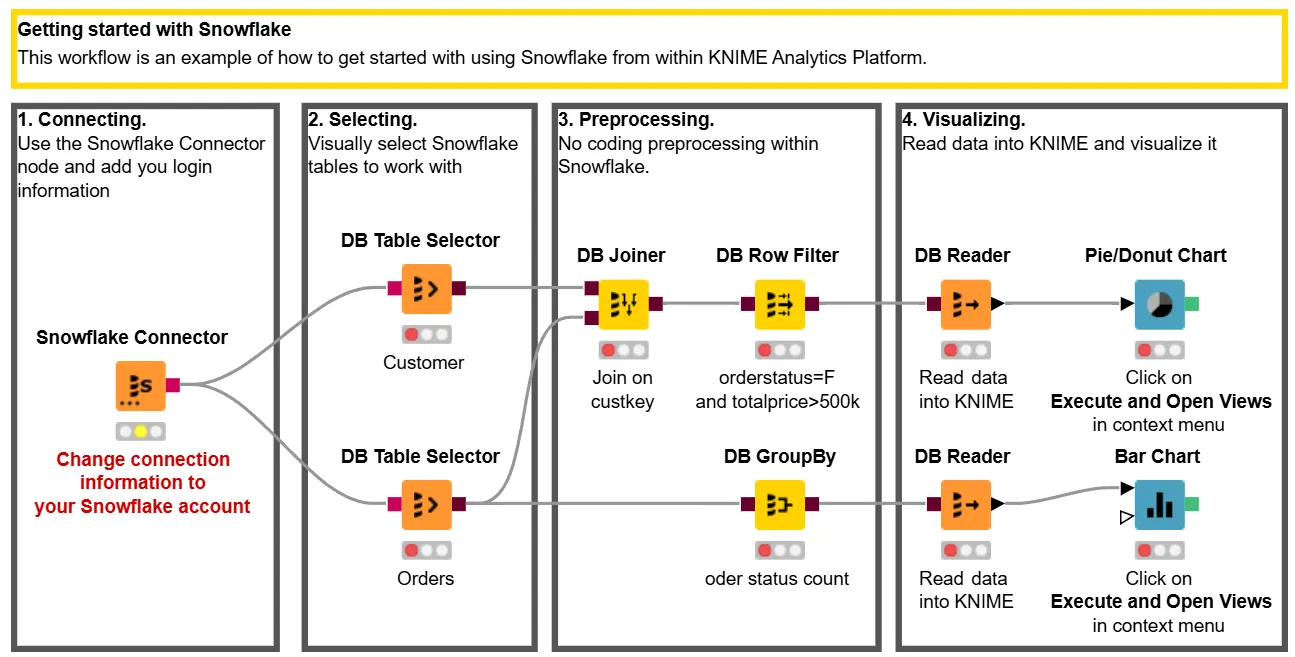
The first step is connecting to your Snowflake data. Knime has a native Snowflake connector that handles authentication, warehouse selection, and schema browsing. You drag it onto the workflow canvas, configure your credentials, and you are connected.
Build your agent's tools
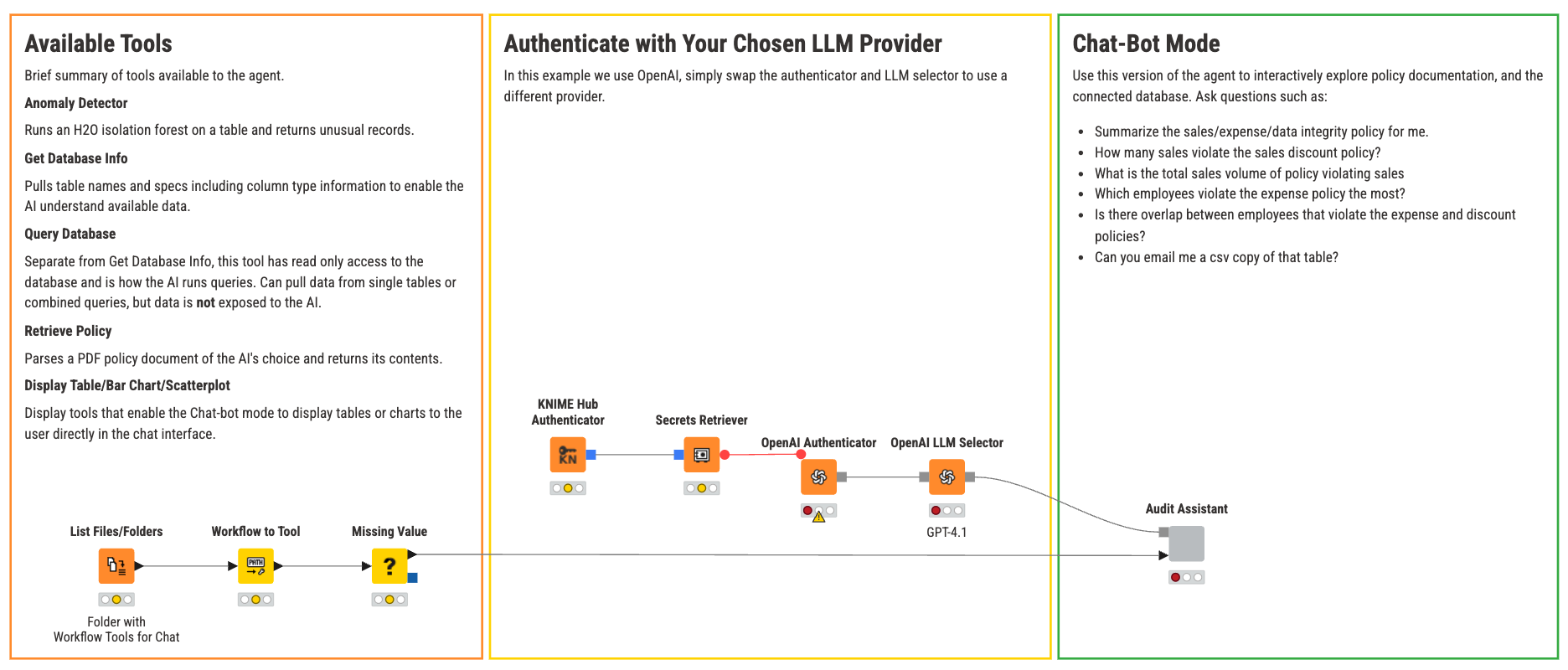
From there, the real work begins: building the tools your agent will use. In Knime, an agent tool is just a workflow. Each tool does one thing. For this audit agent, here are a few examples:
- Display table tool: Retrieves and formats Snowflake data for clear presentation. This offers a significant security advantage, as it enables the agent to serve information to the user without directly accessing or processing the underlying raw data.
- Query builder tool. Translates natural language questions into SQL queries against the audit schema.
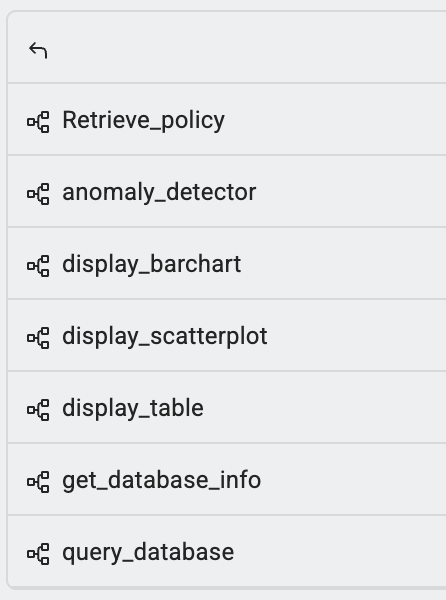
Each tool is a self-contained, reusable workflow rather than a buried function in one monolithic script; the agent's calls to it can be logged and inspected individually. You build it once, test it, and then it is available to any agent you create in the future. Over time, these reusable workflows become standardized internal analytics that your team can share across use cases.
If you have built agents with Python and Streamlit, the difference here is that the visual workflow is the logic, the frontend, and the deployment artifact. You are not maintaining three separate things.
The agent itself is built around the Agent Chat View node. This node enables interactive, multi-turn conversations by combining a chat model with tools and optional input data. The visual layout means you can see the entire agent architecture at a glance: what data it accesses, what tools it has, and how information flows between them.
Trace every answer to its source
You type a question into the agent's interface: "Show me all transactions over $50,000 from Q1 by department." The agent figures out which tools to call, queries Snowflake, and presents the results.
But for audit, the answer is only half the value. The other half is the path.
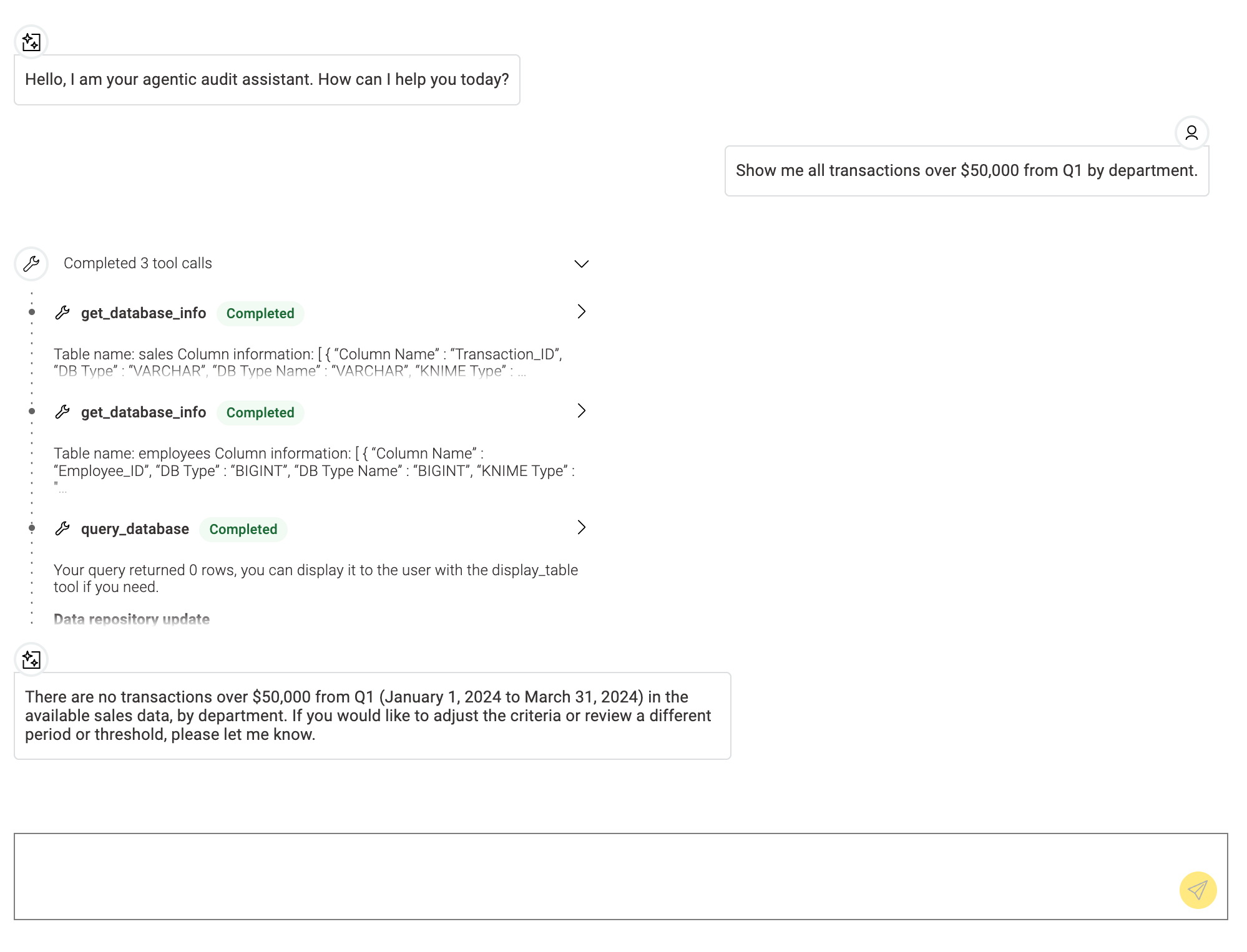
Every tool call the agent makes is logged. You can see the exact sequence: which tool it selected, what query it sent to Snowflake, what data came back, and how it assembled the response. The agent's decision-making is transparent and controllable, not a black box. If the agent gives you a number, you can trace exactly where that number came from.
For teams in regulated industries, this kind of traceability is not optional. Auditors need to explain and defend their analysis. With Knime and Snowflake, the governance is built into the workflow itself, not bolted on afterward.
On the Snowflake side, data lineage shows where the underlying data originated, what transformations it went through, and when it was last updated. Together, these two layers give you full visibility from raw data to agent response.
Deploy it to your team in one click
The same workflow you just built and tested locally can be deployed as a data app on Knime. You right-click the workflow, select deploy, configure who has access, and it is live.
There is no wrapper code to write, no separate frontend to build, and no infrastructure to provision. Anyone on the audit team with the right permissions opens a browser, sees the data app, and starts asking questions. The traceability you built in development carries straight through to production.
Reproduce any result from any point in time
This is the capability that elevates the whole setup. In an audit, you regularly need to go back and reproduce previous analysis: verifying what the agent flagged last October, confirming what data it was looking at, or proving that the result is consistent.
Knime keeps the version history of every deployed workflow. You can go back to the exact version of the agent that was running in October and see its full configuration: which tools, which prompts, which logic.
You get complete reproducibility without maintaining a separate archive, closing the loop from build to deployment to review.
Scaling your AI-driven audit strategy
This AI audit agent is one example, but the same pattern applies to compliance monitoring, financial close processes, supplier risk assessment, and audit analytics at scale. Anywhere you need an AI agent that connects to Snowflake, does real work, and needs to be trusted, the tools are reusable, the deployment path is the same, and the audit trail comes built in.
If you want to try this yourself:
- Explore the Knime for Snowflake Users collection on Knime.
- Watch the full webinar demo with Ata Dogramaci from Snowflake and Corey Weisinger from Knime.
- Read more about audit analytics and where AI fits in.